- All in MYTH
- Everywhere
- Create with Chat
Everywhere · AI design assistant
Create with Chat
Describe it. MYTH picks the tool.
Type what you want or answer a few quick questions. MYTH picks the tool and the settings, shows the credits first and creates the result in the chat.
Picks the toolCredits shown first
How it works
Three steps in Create with Chat
- 01
Ask or answer
Type your request, start from Ready prompts, or answer the quiz one step at a time, from What do you want to create? to motif, style and palette. Skip any step you do not need.
- 02
Check the summary
MYTH picks the tool, or you choose it under AI Tools. The Generation summary shows the quality, the repeat and the Estimated credits; press Confirm to run it.
- 03
Keep going
Take a result further with Refine this, Create a variation, Make Seamless or Upscale Pro, or carry it into MYTH Edit with Separate into colors or Convert to vector.
See it work
Two ways to ask
Answer the quiz step by step, or write the whole request yourself. Either way, the summary comes before the credits and the next steps come after the result.
Step 2 of 5
Which print type?
Seamless repeatPlacement Design (e.g. T-shirt, scarf)
Repeat type
BlockHalf DropBrickHorizontalVertical
BackSkipNext
A pattern, with a half-drop repeat, with geometric motifs, in a hand-drawn illustration style, in warm, earthy tones.
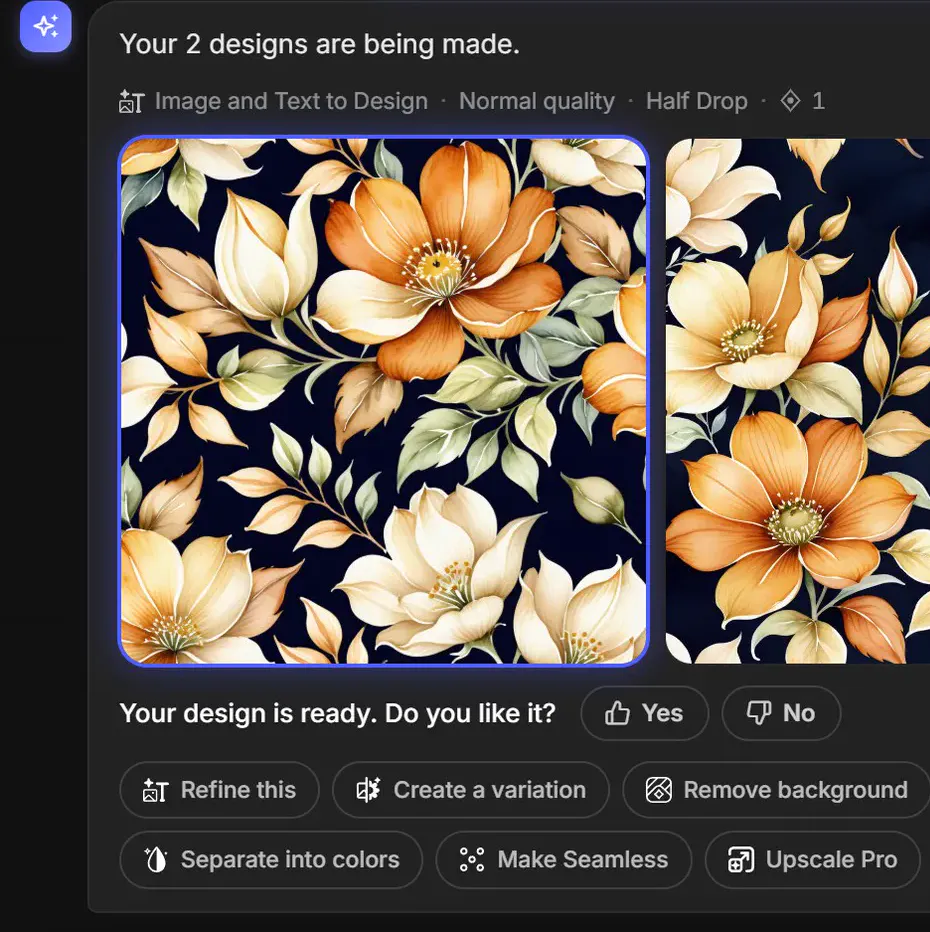
MYTH AIYour 2 designs are being made.Text to DesignNormal qualityHalf DropGenerating… 1/2
Refine thisCreate a variationRemove backgroundConvert to vectorMake SeamlessUpscale Pro
Chat to design
From a brief to a print, in one chat
Create with Chat is the AI design assistant in MYTH. Write the brief the way you would for a print designer, such as a seamless pattern of small botanical leaves in sage green and cream for fabric printing, or a centred chest print for a T-shirt. MYTH chooses the tool, from Text to Design and Make Seamless to Pattern Extractor, Upscale Pro and Vectorizer, sets the size and the number of images, and shows the estimated credits before anything runs.
Not sure how to phrase it? The quiz asks one thing at a time: a pattern or a product, a seamless repeat or a placement design, the repeat type (block, half drop, brick, horizontal or vertical), then motif, style and palette. Repeats are made in Normal quality, and a Pro result can be turned into a repeat afterwards with Make Seamless; the guide to repeat types explains how they differ.
Every result comes with next steps: refine it, make a variation, remove the background, convert it to vector or separate it into colours in MYTH Edit.
Who uses it, and for what
Print designers
Try a direction in words, a half drop floral or a geometric in warm, earthy tones, and take the best result into Make Seamless or MYTH Edit.
Fashion and product teams
Ask for a placement print for a T-shirt or a scarf, or a product design for clothing, footwear, bags or home pieces, without picking a tool first.
Teams new to MYTH
Learn which tool does what: the summary names the tool, the quality and the repeat before any credits are spent.
Anyone with a reference image
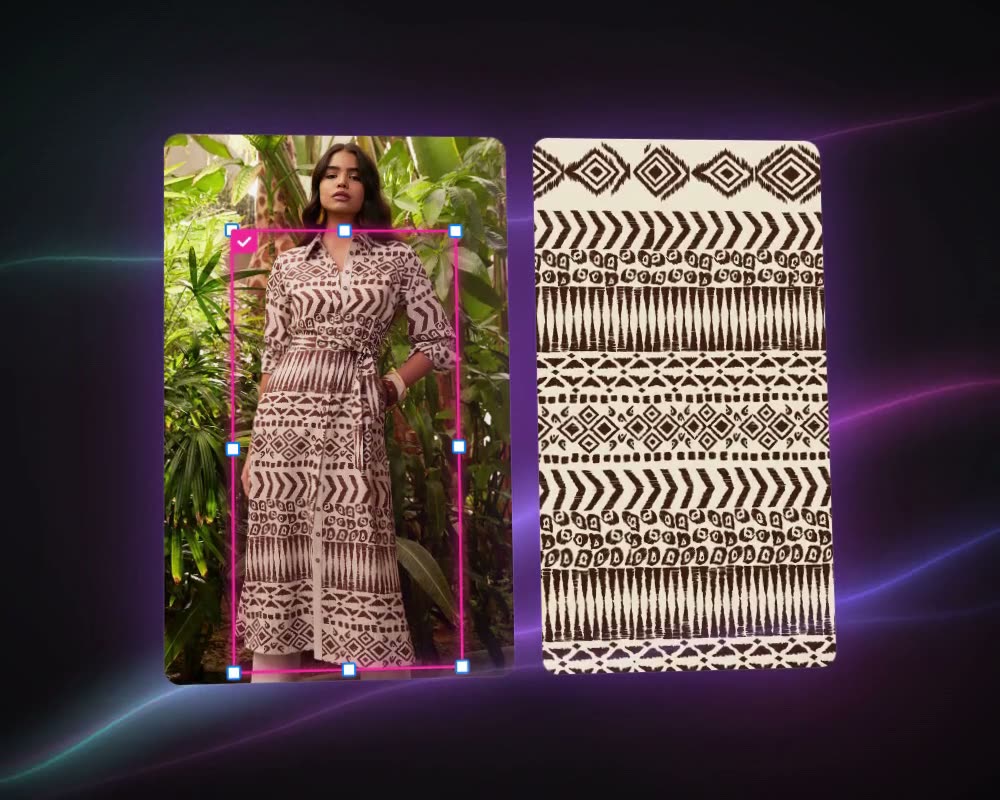
Attach an image to recolour it, make it seamless, upscale it, vectorize it or pull the patterns out of a photo.
The details
What goes in, what comes out
- Ways in
- Free text, a step-by-step quiz, or one of six Ready prompts
- Tools it runs
- Text to Design, Image to Design, Image and Text to Design, Generate Similar, Make Seamless, Pattern Extractor, Upscale Pro, Background Remover and Vectorizer
- Settings
- Number of images, aspect ratio and resolution, each on Auto unless your message says otherwise
- Before it runs
- A generation summary with the quality, repeat type and estimated credits; the job starts when you confirm
- Follow-ups
- Refine this, Create a variation, Remove background, Convert to vector, Separate into colors, Make Seamless, Upscale Pro, Generate similar
- Limits
- Messages up to 2,000 characters, a daily message allowance and a credit cap per request
- History
- Past conversations are listed under Previous Chats; open one to see the thread again
- In MYTH Edit
- The editor’s AI bar has a chat mode that adds the results you like to the canvas
Questions
About Create with Chat
Something else? Ask the team.
Do I need to know which tool to use?
No. Leave the tool on Auto and MYTH picks the right one from your words and your image. If you know what you want, choose the tool yourself under AI Tools.
Will it spend credits without asking?
No. Before anything is generated, the summary shows the tool, the quality and the estimated credits, and the job runs only when you press Confirm. If an image fails, its credits are refunded.
Can I bring my own image?
Yes. Add an image to your message to recolour it, make it seamless, upscale it, vectorize it or pull the patterns out of it. Finding the patterns is free; each extracted pattern is charged on its own.
Can it make a seamless repeat?
Yes. Choose Seamless repeat and the repeat type in the quiz, or ask for it in your message. Repeats are made in Normal quality; a Pro result can be turned into a repeat afterwards with Make Seamless.
What is the difference between a placement print and a repeat?
A placement print is a single design printed once in a set place, such as a chest print on a T-shirt or a scarf panel. A repeat, or seamless pattern, tiles edge to edge so it can run the length of the fabric. In the quiz, choose Placement Design or Seamless repeat, and for a repeat pick Block, Half Drop, Brick, Horizontal or Vertical.
Can I finish the design in the editor?
Yes. Separate into colors and Convert to vector open the result in MYTH Edit with each colour on its own layer, and a vector result opens there with its layers. Inside the editor, the AI bar has its own chat mode that adds results to the canvas.
Everywhere · every plan
Try it on your own design.
Every plan includes every tool. Credits are in your account the moment payment is confirmed.