Create Pattern
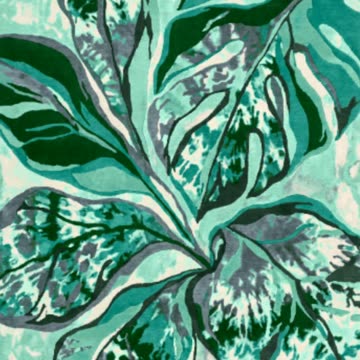
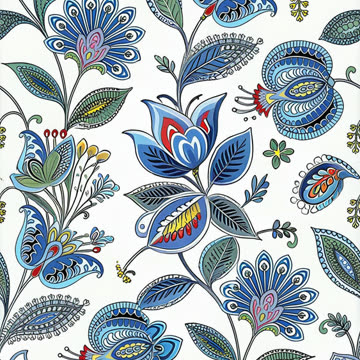
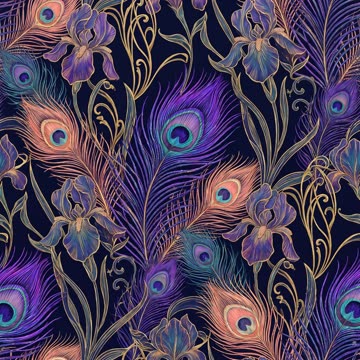
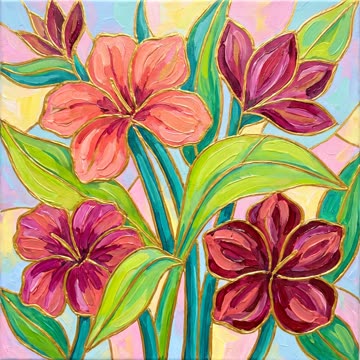
Describe a print, drop in a reference, or both: MYTH picks Text, Image or Image and Text to Design for you.
Text, image or both1K · 2K · 4KUp to 4 a run
DetailsOpen Create Pattern in MYTH
MYTH AI 5.0 · AI design tools for textile
Patterns and repeats, products and photoshoots: 20 tools for fashion, textile and home-textile teams, and every plan includes every one of them.
01Create
Start from a word, a photo or a sketch
02Refine
Make it the design you meant
Pattern AI · 13 tools
Create, transform and customize patterns with AI.
Open Pattern AIDescribe a print, drop in a reference, or both: MYTH picks Text, Image or Image and Text to Design for you.
Text, image or both1K · 2K · 4KUp to 4 a run
DetailsOpen Create Pattern in MYTH
Turn one image into fluid, painterly abstract prints that move past the usual repeat.
From one imageRepeat modes
Keep the motifs and mood of a reference and vary the rest: closer at 90%, freer at 10%.
Similarity 10–90%Up to 4 a run
Convert any design into a production-ready seamless pattern, in the repeat your print needs.
5 repeat typesOriginal kept
DetailsOpen Make Seamless in MYTH
AI finds every pattern in a photo; extract each one as a flat, clean design free of folds and shadows.
Up to 10 a photoDetection is free
Change the words on a design while the font, colour and perspective stay as they were.
Keeps the fontPatterns and products
DetailsOpen Text Edit in MYTH
Sharpen a print to twice or four times its size for large-format production.
2× or 4×Up to 4096 px
DetailsOpen Upscale Pro in MYTH
Feed it trend links, PDFs and moodboards, list the products, and get a consistent collection.
Up to 30 productsTrend report PDF
DetailsOpen Collection Lab in MYTH
In MYTH Edit Five pattern tools live in the editor: right-click a frame or use the toolbar.
About MYTH EditProduct AI · 4 tools + 5 shared
Design products, turn photos into technical flats and tech sheets, check existing tech packs and build collections from trends.
Open Product AIDescribe the item, fabric and colour, or start from a photo, and get a finished product visual.
Text, image or both1K · 2K · 4K
DetailsOpen Create Product in MYTH
Turn sketches and technical drawings into realistic product visuals, with the material set for each area.
24 categories + your ownMaterial by area
From one product photo to a technical flat, CAD files and an annotated tech sheet.
DXF · SVG · PNGTech sheet PDF
DetailsOpen Real to Sketch in MYTH
Upload a tech pack; MYTH reads it and flags missing or inconsistent measurements, tolerances and materials.
PDF or scanExcel export
Also in Product AI The same tools, set up for products:
Studio · 1 tool
Shoot products with AI, one by one or in batches.
Open the studioUpload a garment photo, choose the model and poses, and get a full studio photoshoot. Shoot one product or a whole range in one go.
Everywhere · 2 tools
Two ways to work with every tool: talk to it, or open the full editor.
Describe what you need; MYTH asks a few quick questions, picks the tool and settings, and creates it in the chat.
A full layered editor: frames, groups, blend modes and AI touch-ups, without leaving the app. Colorway, Vectorizer, Background Remover, Mockups and Mirror Mode live here.
DetailsOpen MYTH Edit in MYTH
In every tool
The same canvas, files and colour books run under all of them, so a design moves from tool to tool without leaving the workspace.
Questions
Anything else? Ask the team.
Yes. Every plan includes every module: Pattern AI, Product AI, Studio, Collection Lab, MYTH Edit and Create with Chat. Plans differ only in credits and seats.
Each run shows its cost before you start. In Sketch to Reality and Photoshooting AI, 2K costs twice 1K and 4K four times; in Create Pattern and Create Product (Pro), 1K and 2K cost the same and 4K costs twice as much; Pattern Extractor charges the same for every pattern, at any size. Some steps are free: Colorway, ready mockups, SVG downloads and finding the patterns in a photo. If a job fails, its credits come back.
Generations go up to 4096 × 4096 px at 1K, 2K or 4K. Upscale Pro doubles or quadruples an image within that limit, and MYTH Edit exports up to 8192 px at 72 to 1400 DPI.
Five: Block, Half Drop, Brick, Horizontal (seamless left to right only) and Vertical (top to bottom only). Pick a repeat mode in Create Pattern to make a design as a repeat from the start (repeats are made in Normal quality), or use Make Seamless to turn any design into a new repeat while the original stays as it is. The guide to repeat types shows how they differ.
PNG, JPG, WEBP and TIFF. In the create tools, images over 5 MB are shrunk for you, up to 25 MB; Photoshooting AI takes garment photos up to 5 MB. Real to Sketch, Tech Pack Reading and Collection Lab also read PDFs.
From MYTH Edit: TIFF (also with one layer per colour), PNG, JPEG, WEBP, BMP, GIF and PDF. The Vectorizer gives SVG, Real to Sketch gives CAD DXF, SVG, PNG and a tech sheet PDF, and Tech Pack Reading exports to Excel.
Yes. Create Product’s categories run from top wear, dresses and sportswear to bedding sets, towels, curtains, pillowcases and carpets, and Mockup Generator has home-textile and curtain mockups next to clothing. Home-textile teams such as Karaca Home, Sarev and Menderes Textile design with MYTH AI.
You do, under MYTH’s terms of use. Every design you download comes with a certificate of authenticity.
Yes. In Pro mode, prompts are understood in any language, and the interface comes in seven. Tech sheets are written in English or Turkish.
Seats come with your plan and share one credit balance. Admins manage the plan and roles; managers can also edit company details and invite people; members create with every tool and share collections.
Every tool, every plan
Pick a tool, or describe what you need and let MYTH pick it.