- All in MYTH
- Pattern AI
- Pattern Extractor
Pattern AI · Pattern from a photo New
Pattern Extractor
The print, lifted off the photo.
MYTH finds every pattern in a photo and extracts the ones you pick as flat, clean designs, free of folds and shadows.
Up to 10 a photoDetection is free
How it works
Three steps in Pattern Extractor
- 01
Find the patterns
Add a photo, choose a Mode and a Resolution, and press Find Patterns. Detection is free: MYTH marks each pattern and the area it covers.
- 02
Pick and adjust
In Select patterns, move or resize the boxes, use Draw area for anything it missed, and keep up to 10.
- 03
Extract
Press Extract Patterns; the button shows the total first. Each pattern comes back as its own flat design, and you can refine any one of them on its own.
See it work
From the photo to a flat print
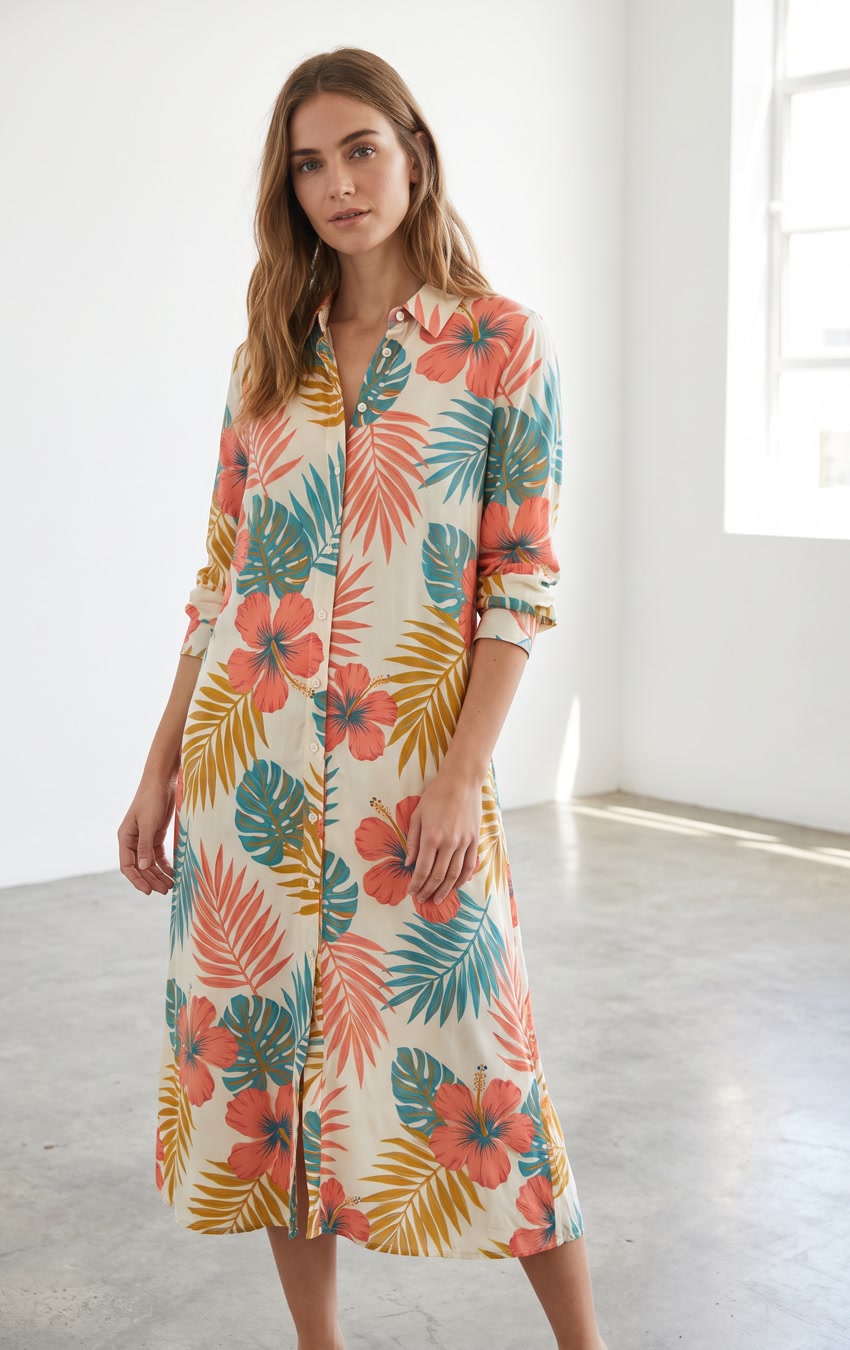
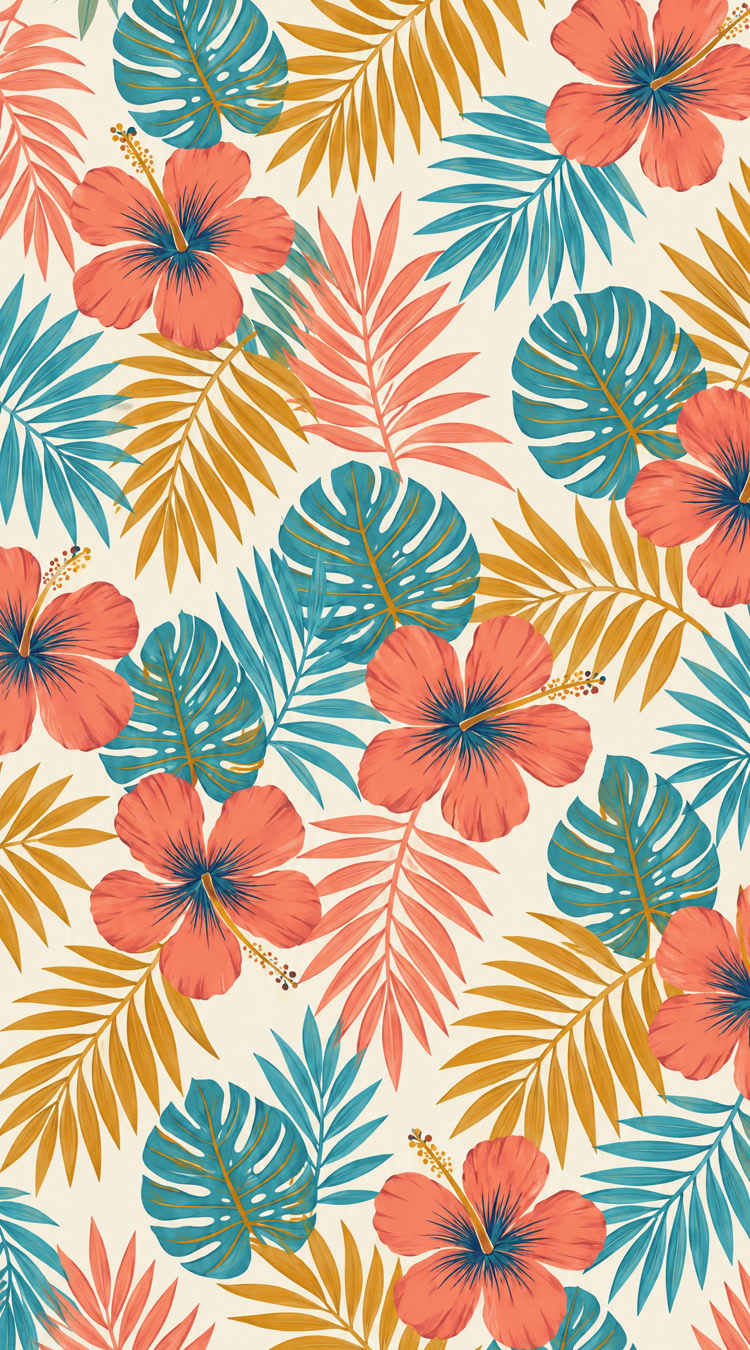
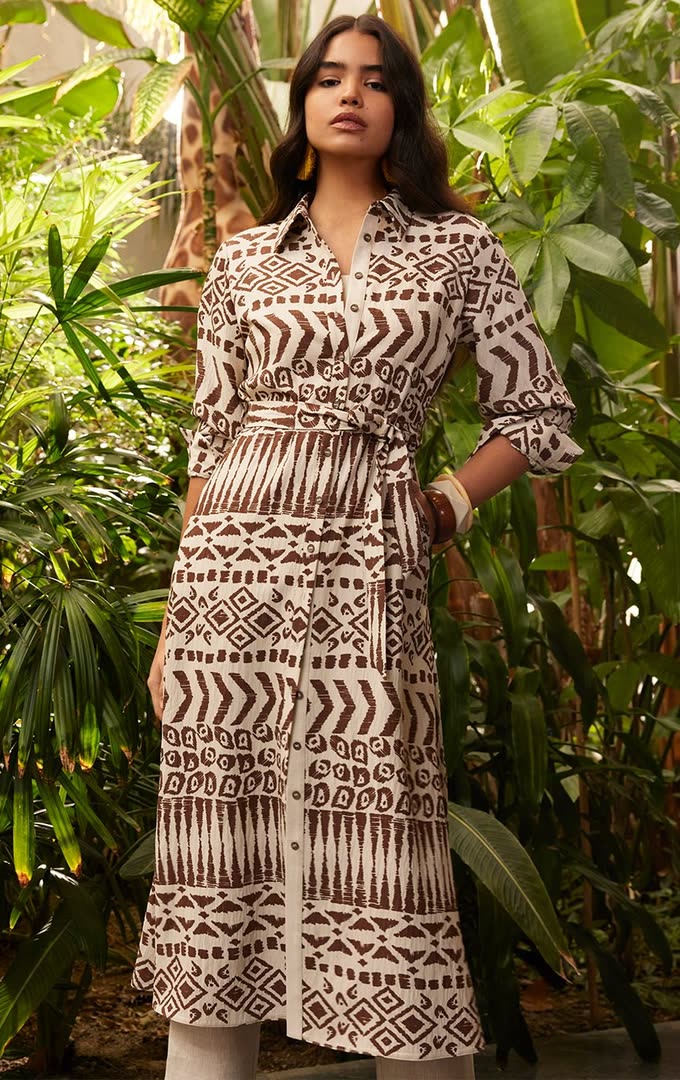
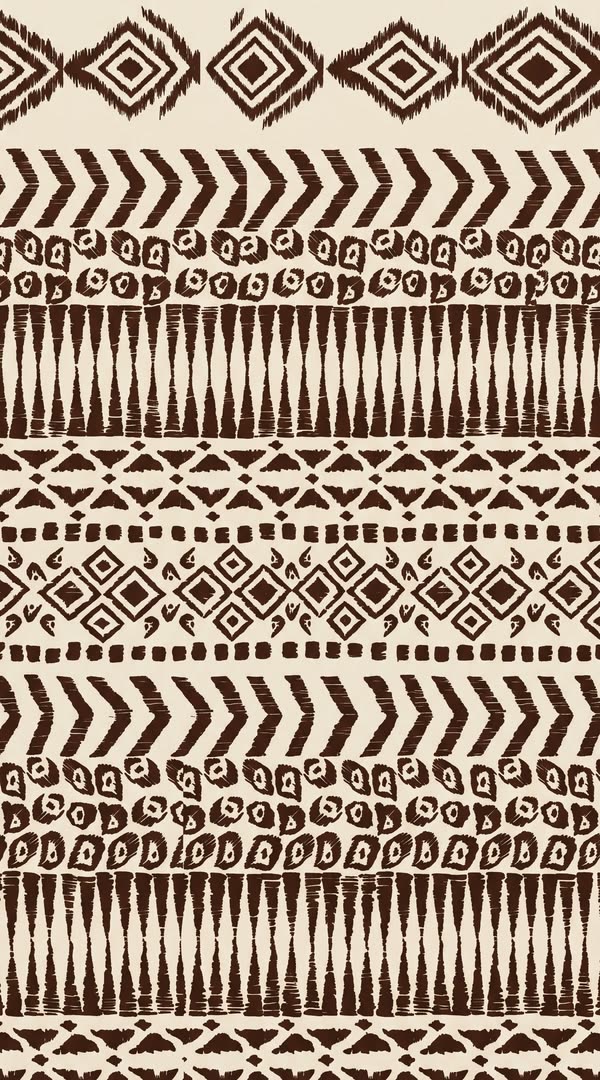
Two dress photos and the flat prints Pattern Extractor drew from them, one in Clean print mode and one in Faithful.
What it is for
Extract the print from a fabric photo
A print on a dress, a cushion or a swatch rarely photographs flat: folds bend it and shadows darken it, and redrawing it by hand is slow, careful work. Pattern Extractor does the redraw. It finds every pattern in the photo, marks the area each one covers, and returns the ones you pick as flat designs, up to 10 from one photo. Finding them is free.
Choose how close the redraw stays. Faithful keeps the drawing and colours of the photo, and with Keep the fabric texture it holds on to weave, pile and sheen, like a flat scan of the cloth. Clean print gives crisp edges and flat colours, ready to print. Variation arranges the same motifs in a new way. It works on prints, the design on the fabric, not on sewing patterns.
An extracted pattern is a design like any other: put it into repeat with Make Seamless, recolour it with Colorway, or split it into its colours with Vectorizer.
Who uses it
Print designers
Redraw a print from an old swatch or a past garment when the original artwork file is gone.
Textile mills
Turn a customer’s photo of a garment or a fabric sample into a flat print to develop, recolour and sample.
Fashion brands
Lift the print off a sample or a lookbook photo of your own range to reorder, recolour or build on.
Home-textile brands
Get flat prints from photos of bedding, curtains and cushions, however the fabric is folded or draped.
The details
What goes in, what comes out
- Input
- One photo: PNG, JPG, WEBP or TIFF
- Detection
- Free. Finds each pattern and its area; move the boxes or draw your own
- Per run
- Up to 10 patterns, each extracted as its own design
- Mode
- Faithful (default) keeps the drawing and colours of the photo; Clean print gives crisp edges and flat colours; Variation rearranges the same motifs
- Fabric texture
- With Faithful, Keep the fabric texture holds on to weave, pile and sheen, like a flat scan of the cloth
- Resolution
- 1K, 2K (default) or 4K; the shape follows the area you select
- Extra instructions
- Up to 1,500 characters for every pattern in the run, such as a pure white background
- Cost
- Detection is free. Extraction is a fixed price per pattern at any resolution; the button shows the total
Questions
About Pattern Extractor
Something else? Ask the team.
Does finding the patterns cost credits?
No. Detection is free. You pay only for the patterns you choose to extract, at a fixed price each, and the button shows the total before you start.
Which mode should I choose?
Faithful for a true copy of the drawing and colours in the photo, Clean print for a file ready to print with crisp edges and flat colours, and Variation for a new arrangement of the same motifs. Add Keep the fabric texture to Faithful when you want the cloth itself, not a clean print.
What if it misses a pattern?
Use Draw area and drag a box around it. Your box is extracted along with the patterns MYTH found, and you can bring back any you removed.
The result is off. Can I fix it?
Answer No to “Are you satisfied with the result?”, say what went wrong, and Extract Again runs on the same image with your note. Only that pattern is redrawn.
What can I do with the extracted pattern?
It is a new design like any other: pin it to make it seamless or upscale it, or open it in MYTH Edit to recolour it and export at print size.
Does it make sewing patterns?
No. Pattern Extractor works on prints, the design on the fabric. It redraws that design flat; it does not make sewing patterns or garment pieces.
Pattern AI · every plan
Try it on your own design.
Every plan includes every tool. Credits are in your account the moment payment is confirmed.