- All in MYTH
- Product AI
- Real to Sketch
Product AI · Photo to technical flat New
Real to Sketch
One photo, a full technical file.
Upload a product photo, a design sketch or a PDF. MYTH draws the technical flat, exports CAD DXF, SVG and PNG, and lays it out on an annotated A4 tech sheet.
DXF · SVG · PNGTech sheet PDF
How it works
Three steps in Real to Sketch
- 01
Upload the source
Drop a Product photo (one product, plain background), a Design sketch or a PDF of up to 30 pages. MYTH finds the drawings and pairs Front and Back; Select area lets you mark one by hand.
- 02
Set the drawing
Pick the Category or Detect automatically, choose the Garment to draw in an outfit photo, add Drawing notes and the Sheet language. Fill from Tech Pack Reading brings in your measurements and materials.
- 03
Choose and download
Pick one of two front drawings with Choose this, add a back drawing if you want one, then Continue to the tech sheet. Download gives you the CAD DXF, a layered SVG, the PNG flat and the sheet.
See it work
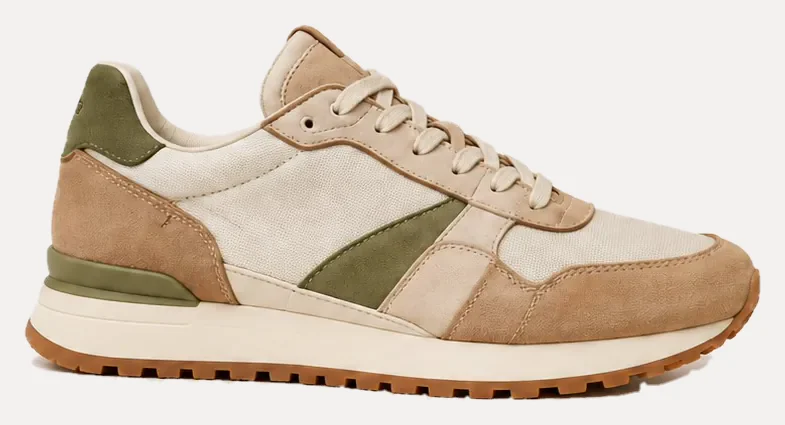
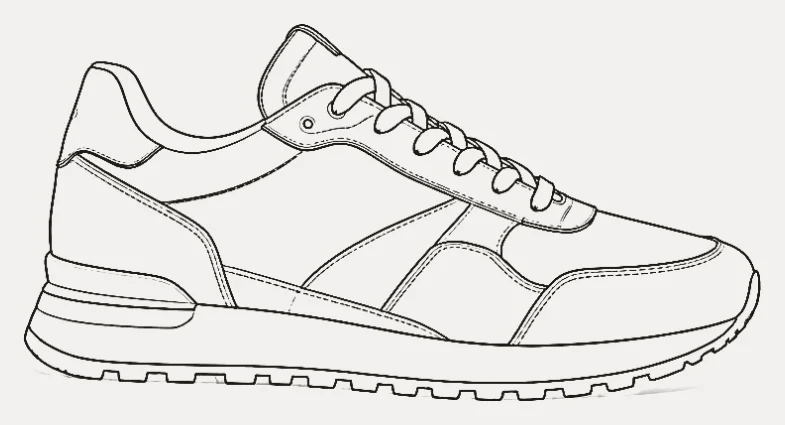
From photo to line flat
Drag the handle to compare the photo with its line flat. In the app, Compare with source does the same, as a slider or an overlay.
Flat sketch to DXF
Technical flats, CAD files, tech sheets
A technical flat, or flat sketch, is the line drawing of a garment laid flat, front and back, with its seams, topstitching, pockets and trims drawn in. It is the drawing pattern makers and factories work from. Real to Sketch draws it from what you already have: a product photo, a coloured design sketch, your own flat, or a PDF of up to 30 pages, where it finds the drawings and pairs front and back.
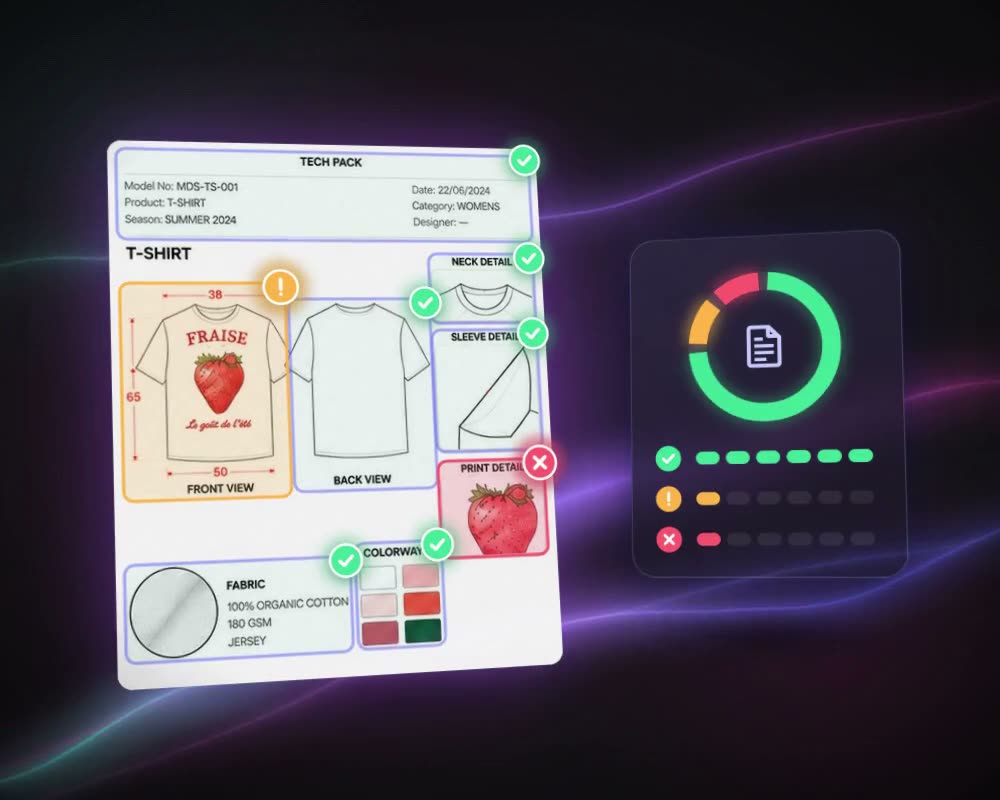
Each drawing downloads as a single-line CAD DXF, with outline, seam, topstitch, hardware and detail lines on layers of their own, as a layered, editable SVG and as a PNG. The flat is then set on an annotated A4 tech sheet with callouts in English or Turkish, the style no, brand and season in the header, and points of measure with a size chart. Link a reading from Tech Pack Reading and its measurements, materials and notes fill the sheet; brand standards learned from your own sample sheets set the callout wording.
Going the other way, Sketch to Reality turns a flat or a sketch into a realistic product visual.
Who uses it, and for what
Product developers
Turn a sample or a reference garment into a clean front and back flat for the tech pack, then change a detail with an instruction instead of redrawing it.
Designers
Take a coloured sketch to a technical flat with its seams and topstitching, ready to pass to the pattern room.
CAD and pattern rooms
Open the single-line DXF with each line type on its own coloured layer, or edit the layered SVG in a vector editor.
Sourcing teams and suppliers
Share a tech sheet with callouts in English or Turkish, the style details in the header and the measurements from Tech Pack Reading.
The details
What goes in, what comes out
- Input
- A product photo, a design sketch (coloured, printed or your own flat) or a PDF: PNG, JPEG, WebP, TIFF, or PDF up to 30 pages
- Categories
- 15 categories, from Swimwear, Dress and Shirt to Coat, Lingerie and Activewear, or Detect automatically
- Drawings
- Two front options to choose from; the back is drawn from your back view, from an uploaded back photo or derived from the front
- Downloads
- CAD DXF single line (recommended), SVG layered and editable, PNG technical flat, and the tech sheet in A4 landscape
- DXF layers
- Outline, Seam, Topstitch, Hardware, Detail, Fold, Texture, Regions and Region outlines, each in its own colour
- Edits
- Change a drawing with an instruction, up to 5 edits per view; every version is kept
- Tech sheet
- Callouts in English or Turkish, header fields for style no, name, brand and season, and 3 free rebuilds per job
- Plans
- All paid plans. Your own flat costs nothing with Use my drawing as is; credits for a failed step are refunded
Questions
About Real to Sketch
Something else? Ask the team.
What is a technical flat?
A technical flat, also called a flat sketch or technical drawing, is a line drawing of a garment as if it were laid flat, front and back, showing its seams, stitching, closures and details without a body or shading. It goes at the front of a tech pack, and pattern makers and factories work from it. Real to Sketch draws one from a photo, sketch or PDF and exports it as CAD DXF, SVG and PNG.
What kind of photo works best?
One product on a plain background gives the most accurate drawing. A photo of the garment worn by a person, or one with a busy print, still works: MYTH flags it, because seams can get lost in the print. In an outfit photo, pick the piece you want under Garment to draw.
Can I take the drawing into CAD?
Yes. The recommended download is a single-line CAD DXF whose layers (outline, seams, topstitching, hardware and more) each keep their own colour. You also get a layered, editable SVG and a PNG of the flat.
What if I only have the front?
Ask for a back drawing and MYTH derives it from the front you chose, marked as estimated; if it does not match the front, it is not delivered. You can also upload a back photo, and redraw the back up to 3 times per job.
Can I change details without starting over?
Yes. Edit with an instruction such as “remove the chest pocket, make the neckline a V-neck”. Each edit is saved as a new version, up to 5 per view, and you can go back to any of them.
Where do the measurements on the tech sheet come from?
Link a reading with Fill from Tech Pack Reading and its style info, measurements, materials and notes are carried in. Without one, the sheet marks the missing values for you, and one real measurement is enough to scale the others from the drawing.
Which plans include it?
Real to Sketch and tech sheets are on every paid plan. Using your own technical drawing as is costs nothing, and if a step such as the back or the sheet fails, its credits are refunded.

Product AI · every plan
Try it on your own design.
Every plan includes every tool. Credits are in your account the moment payment is confirmed.