- All in MYTH
- Pattern AI
- Upscale Pro
Pattern AI · AI upscaler for print
Upscale Pro
Twice or four times the size.
Enlarge and sharpen a design to 2× or 4× its size for large-format production. MYTH offers a factor only when the result fits within 4096 × 4096 pixels; the design itself stays the same.
2× or 4×Up to 4096 px
How it works
Three steps in Upscale Pro
- 01
Add the image
Put the design on the Image tile. Small images are welcome: Upscale Pro skips the low-resolution warning other tools show.
- 02
Pick the factor
Choose 2× or 4× under Scale Factor. A factor that would pass 4096 px is switched off, and the note shows the size you will get.
- 03
Increase Resolution
Press Increase Resolution; the cost follows the output size. Set the DPI and print size later, when you export from MYTH Edit.
See it work
The same detail, 4×
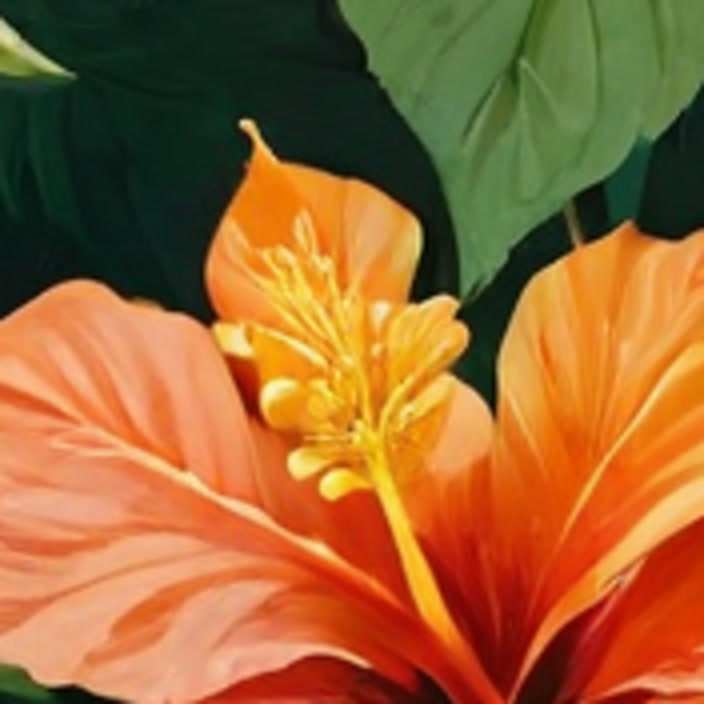
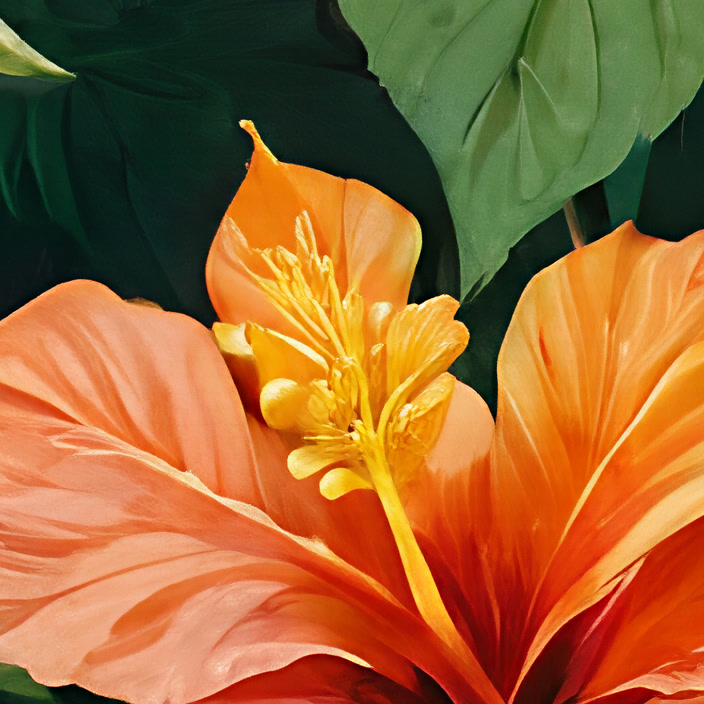
A close-up of a 1024 px hibiscus print, before and after Upscale Pro at 4× (4096 px). Drag to compare.
What it is for
Enough pixels for the print size
A print needs enough pixels for the size it is printed at. Divide the pixels by the DPI your printer asks for and you have the printed size: at 300 DPI, a 1024 px design covers less than 9 cm, while 4096 px covers about 34.7 cm. Stretching a small file in an image editor adds pixels but no detail, so edges go soft and fine lines blur.
Upscale Pro enlarges an AI generation, a scan or an older file 2× or 4× and sharpens it, up to 4096 × 4096 px, while the motifs, colours and layout stay as they were. The DPI and the print size in centimetres or inches are set when you export from MYTH Edit.
For a flat-colour print that has to scale to any size, Vectorizer is the other route: it traces the design into an SVG that stays sharp at every size.
Who uses it, and for what
Print designers
Bring an AI generation or a small reference file up to a size that holds up in print, without redrawing it.
Home-textile teams
Give a print more pixels before it goes onto large pieces such as curtains and bedding.
Archives and studios
Sharpen an old scan or a low-resolution file, so a design from the archive can return in a new collection.
Product and e-commerce teams
Enlarge a product visual from Product AI for a bigger banner, a catalogue page or a lookbook.
The details
What goes in, what comes out
- Input
- One image: PNG, JPG, WEBP or TIFF
- Scale factor
- 2× (default) or 4×
- Size limit
- Output up to 4096 × 4096 px: 2× for images up to 2048 px on the long side, 4× up to 1024 px
- What changes
- Resolution and sharpness only; the design stays the same
- Cost
- Priced by the output size and shown on the button
- Before you run
- A note shows your image size and the size it becomes at the chosen factor
- Where you find it
- Pattern AI and Product AI
- Print size
- DPI (72 to 1400) and units (px, cm or in) are set when you export from MYTH Edit
Questions
About Upscale Pro
Something else? Ask the team.
How big can the result get?
Up to 4096 × 4096 pixels. A 1024 px design can go 4×; a 2048 px design can go 2×. When the long side is over 2048 px, both factors are off, because the result would pass the limit.
Does it change my design?
No. Upscale Pro enlarges and sharpens the image you give it; motifs, colours and layout stay as they are.
How is it different from the 2× or 4× on an image slot?
The Super Resolution buttons on an image slot enlarge a small input before another tool runs, up to 8192 px. Upscale Pro runs on its own and makes a new, larger design, up to 4096 px.
Can I upscale to a DPI or a size in centimetres?
Not in Upscale Pro, which works in 2× and 4× steps. Print size lives in MYTH Edit: Export sets the DPI from 72 to 1400 and the size in pixels, centimetres or inches.
How many pixels does a print need?
Multiply the printed size in inches by the DPI your printer asks for (one inch is 2.54 cm). A 30 cm (11.8 in) repeat at 300 DPI needs about 3,540 px, which a 1024 px design reaches at 4×. At 150 DPI, the 4096 px maximum covers about 69 cm.
Pattern AI · every plan
Try it on your own design.
Every plan includes every tool. Credits are in your account the moment payment is confirmed.