What a block repeat is
Take one tile, the repeat unit, and copy it in straight rows across the width of the fabric and straight columns along its length, with no shift. That is a block repeat. Designers also call it a full drop, a straight repeat, a basic repeat or a square repeat, and wallpaper makers speak of a straight match. All of them mean the same grid.
For the repeat to be seamless, the tile’s opposite edges have to match: whatever leaves at the right comes back in at the left at the same height, and whatever leaves at the bottom comes back in at the top. A motif that crosses an edge is split between the two sides, and the halves meet again when the tiles are laid together.
Because nothing is shifted, the tile is also the full repeat. Its width and height are the repeat size you give a printer, which keeps measurements simple. It also makes a block the easiest repeat to fit to a rotary screen: a tile 32 cm tall prints exactly twice on each turn of a 64 cm screen.
Pros and cons
Pros
- Simple to build and to check.
- The tile is the whole repeat, so sizes are easy to fit to a fabric width or a screen.
- Lines up exactly, which checks, plaids and geometrics need.
Cons
- The grid can show, especially with one large motif per tile.
- Rows of motifs can read as stripes.
- Empty space between motifs repeats just as regularly as the motifs do.
The visible grid
The classic problem with a block repeat is the grid showing through. One strong motif per tile lines up in rows and columns, and from a distance the fabric reads as stripes or a checkerboard nobody designed. Designers check for it by looking at many tiles at once at a reduced size.
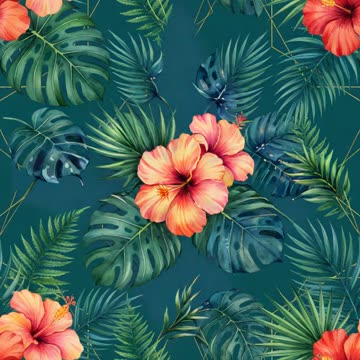
Ways to break it up: place several motifs at different sizes in the tile; let motifs cross the edges, so the tile boundaries disappear; vary the direction of the motifs, as in a tossed layout; or switch to a half drop or a brick, which put the motifs on diagonals.
When a block repeat works
- Geometrics, checks and plaids, where the grid is the design.
- Small, dense all-over prints, such as ditsy florals, where no single motif stands out.
- Tossed layouts, where the motifs already vary in angle and spacing inside the tile.
- Designs meant to line up across seams, panels or wallpaper strips.
For large florals and wide home-textile fabrics, a half drop usually reads better. See which repeat suits which product.
How to make and check a block tile
- Set the tile size. Decide the repeat size at print size first, then work out the pixels: centimetres × DPI ÷ 2.54. A 20 cm tile at 300 DPI is 2,362 px.
- Arrange the motifs in the middle of the canvas, away from the edges.
- Offset to bring the edges in. In Photoshop, Filter › Other › Offset by half the width and half the height, with Wrap Around on. The corners now meet in the centre, and the old edges form a cross through the middle.
- Fill the cross. Add or move motifs over the cross until the spacing looks even. Leave the outer edges alone: they already match.
- Check. Turn on View › Pattern Preview, or define the pattern and fill a large canvas. Look for seams, gaps and lines.
In MYTH, Make Seamless with Block matches the edges of any design, and Create Pattern in Normal mode can return a block repeat straight from a prompt; Block is its default Repeat Mode. Check the result with Preview as Tile in MYTH Edit, with tile lines on to see the grid.